
QR labels
A QR label on every card that opens its page and never breaks.
Every card in PCVault gets a QR label that opens its card page with the current value and recent sales. The link is permanent, so a printed label keeps working even if the card changes code or moves to another collection.
Last reviewed
How it works
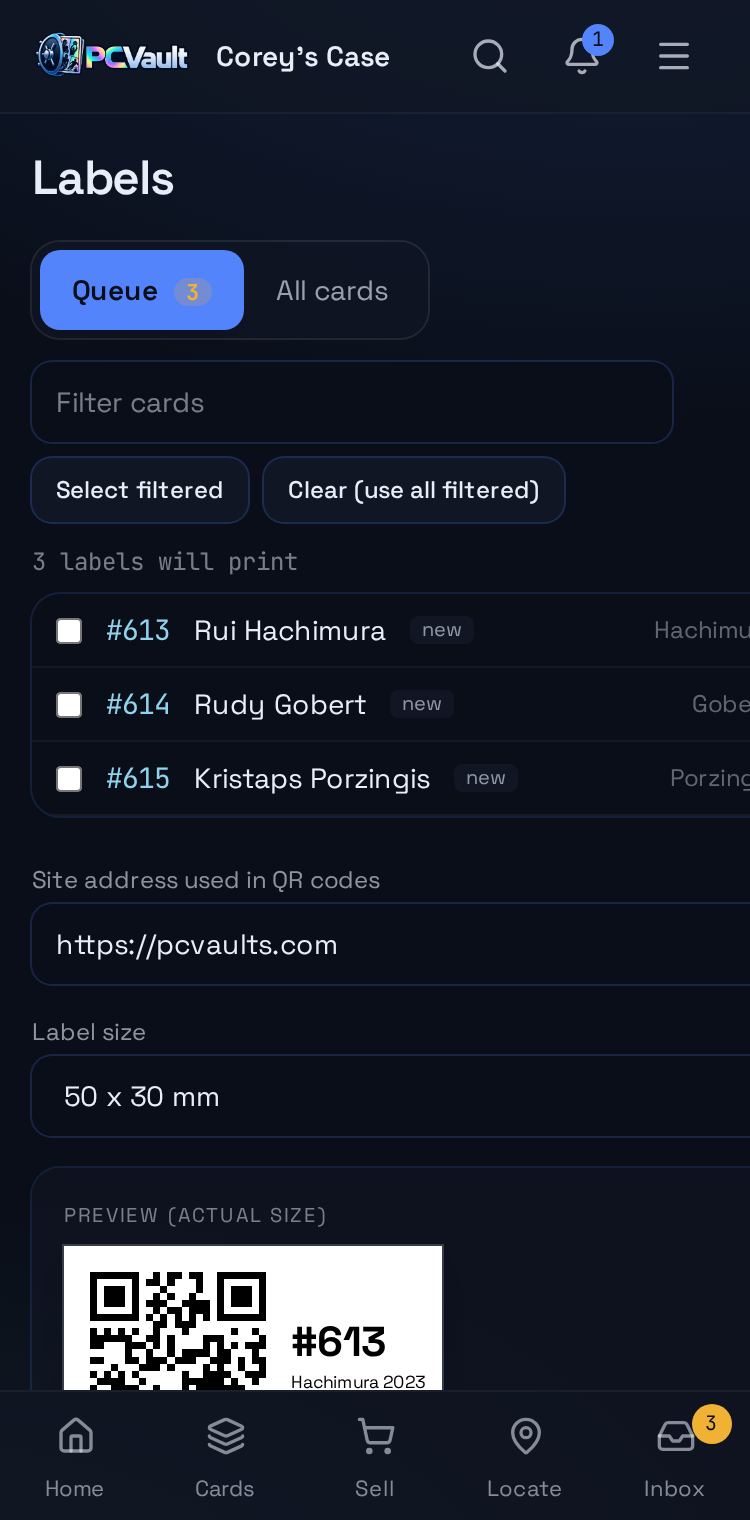
New cards queue themselves
- Adding a card puts its label in the queue
- Moving or recoding a card queues it again
- You print only what changed
Print on the labels you have
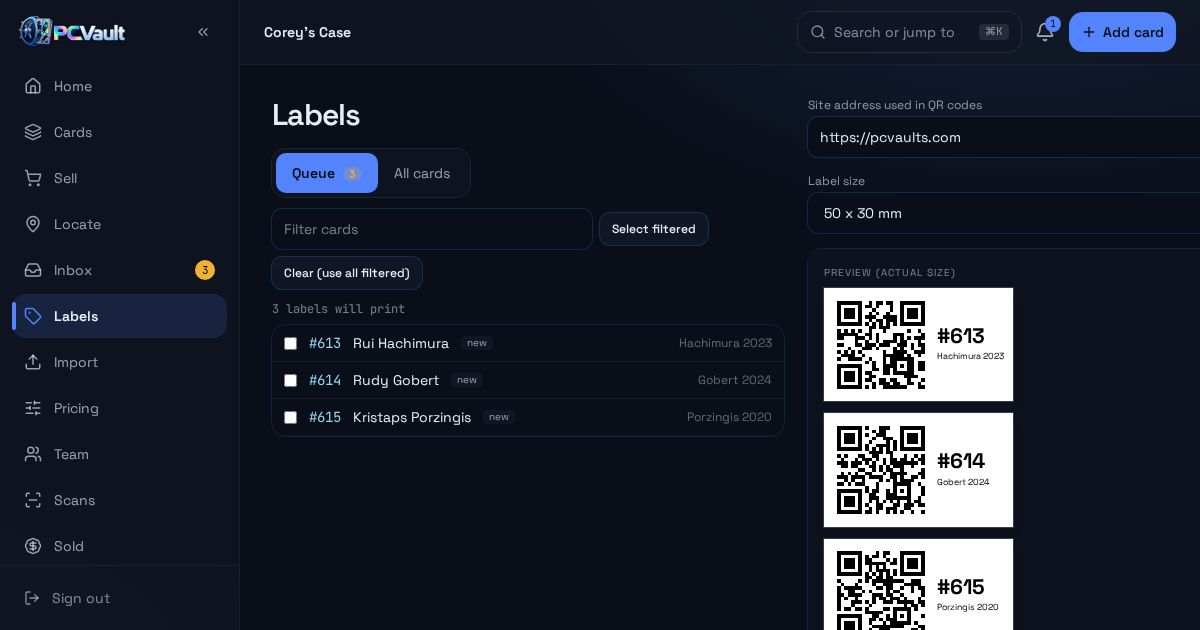
- Sheet preview at actual size
- CSV for phone label printers
- Mark the batch printed when you are done
Buyers scan and see the card
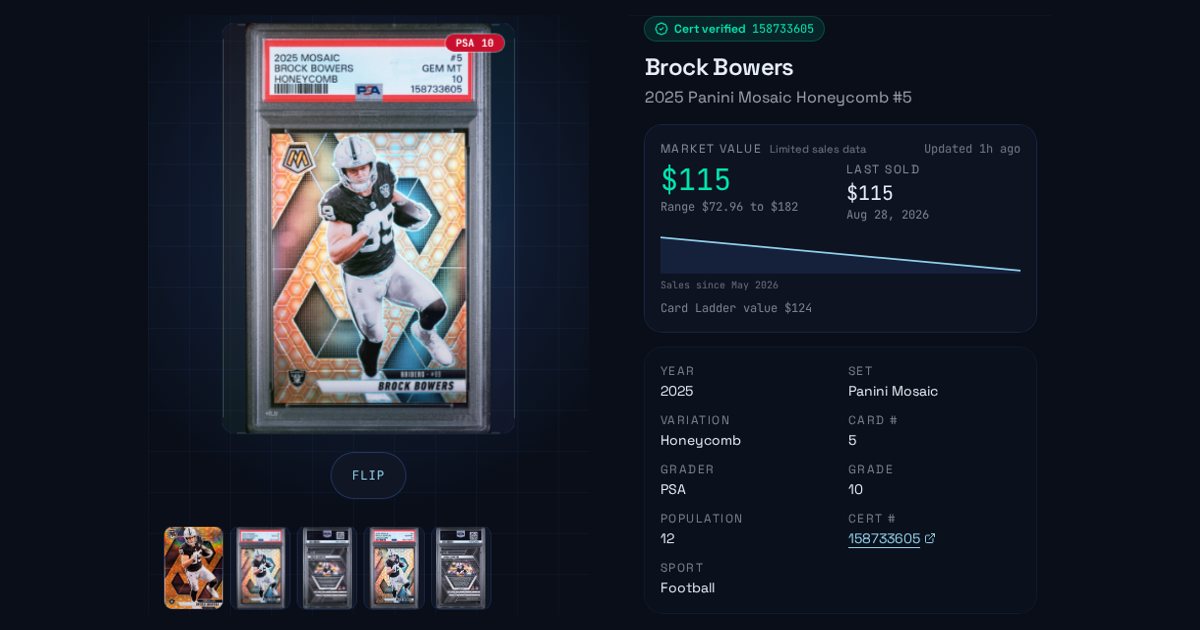
- The QR opens the card page
- Value, recent sales and photos
- Links stay the same even if the card moves
What you get
Short QR links
Small enough to fit on a top loader label.
Permanent links
Old codes redirect when a card moves.
Print queue
Only new and changed cards wait to print.
Sheet preview
See labels at actual size before printing.
Printer CSV
Download the queue for phone label printers.
Free prints singles
Collector and up print the whole queue at once.
Live demo
Try the Labels screen
The real Labels screen with Corey's For Sale cards. Demo, nothing is saved.
The real admin screens with Corey's For Sale cards. Demo, nothing is saved.
Questions
What happens if a card moves after I print the label?
The label keeps working. Every card has a permanent link, and PCVault remembers every code a card has had. If the card changes code or is transferred to another seller, scanning the old label still opens the right card page.
Which label printers work?
Any printer that prints from a browser works with the built-in label sheet, and you can choose common label sizes. For Nelko label printers, export a CSV from the Labels screen and import it into the Nelko app to print a batch.
Do I have to remember which cards need labels?
No. PCVault adds a card to the label queue when it is added, imported, given a new code or moved. Open Labels, print the queue, and mark it printed. You can undo marking a batch printed if a print run fails.
Can buyers scan a label without an app?
Yes. The QR opens in the phone's normal camera and browser. Buyers see the card, its market value and recent sales, and can send an offer without an account. Nothing you paid for the card is ever shown on that page.
Keep exploring
Start free with 15 active cards
Upgrade when you need more cards, selling tools or staff logins.
Create your account