
Slab verification
Graded cards checked against the grader's own cert record.
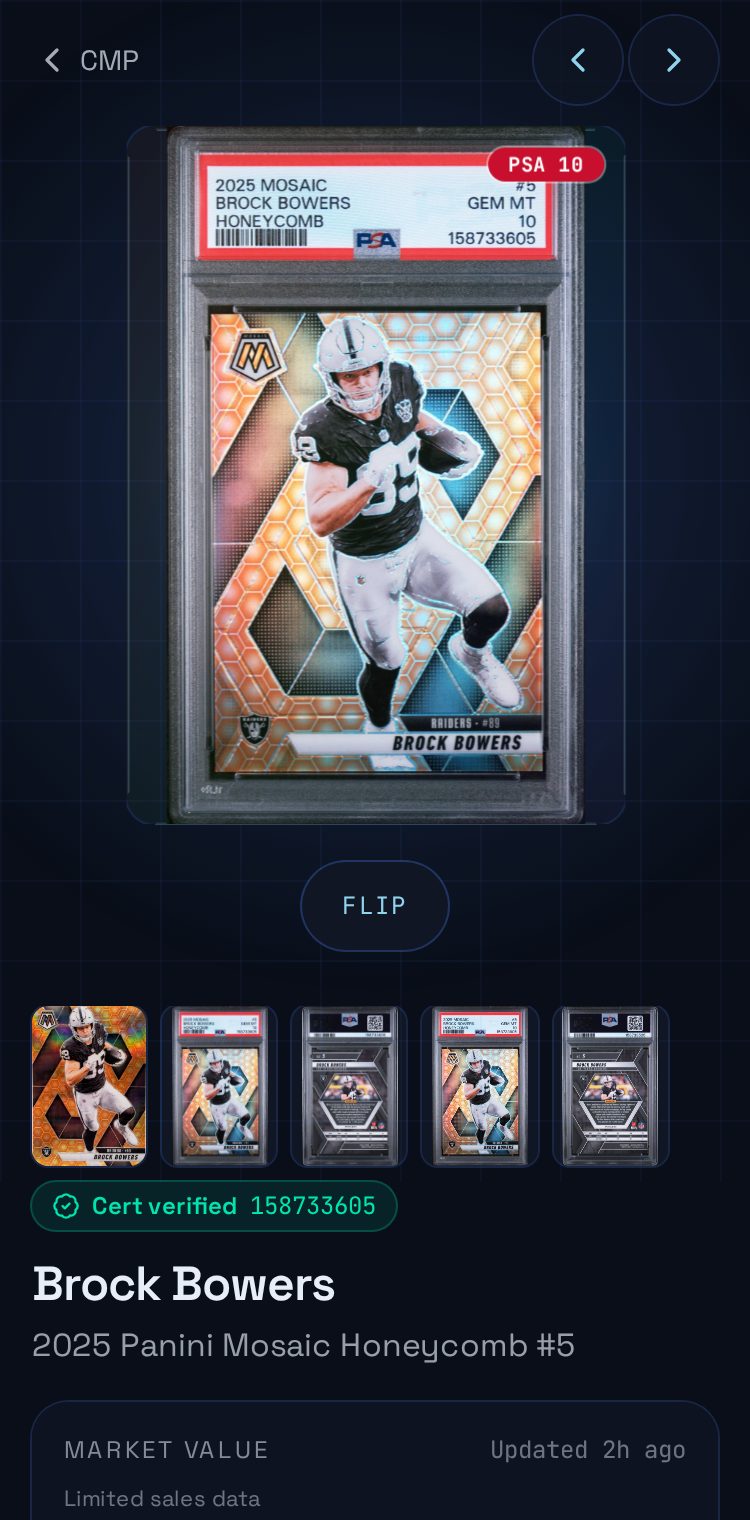
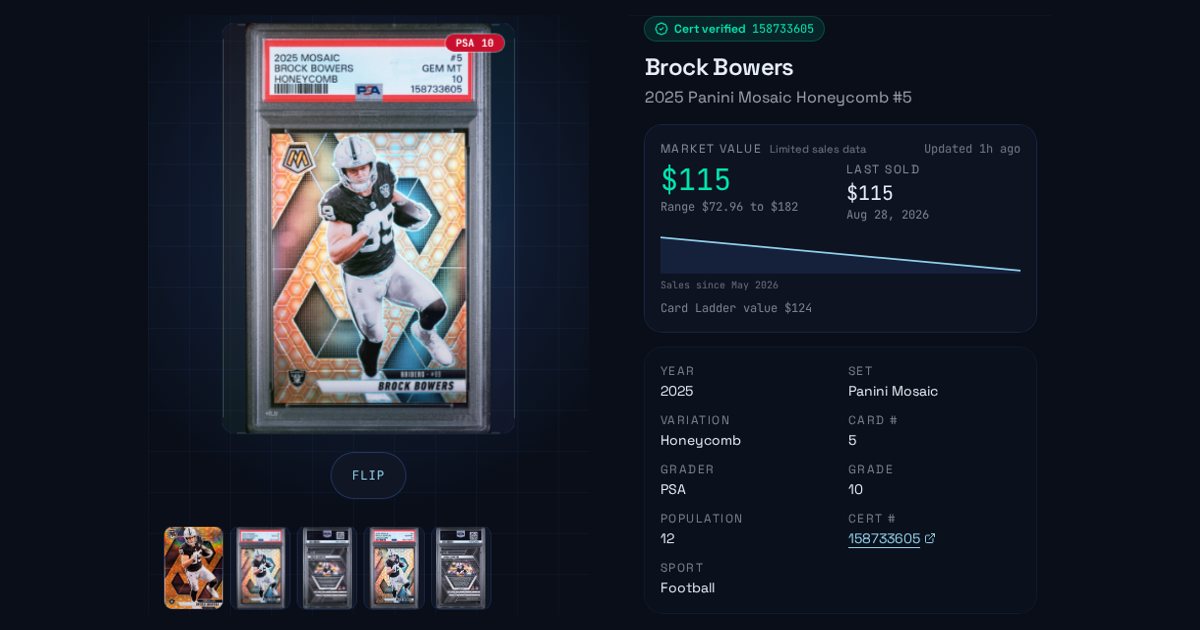
For graded cards with a cert number, PCVault looks up the grader's cert record, checks the grade, player and year, and stores the official front and back scans. Verified slabs show a badge and the population on the card page.
Last reviewed
How it works
Add the cert number
- PSA, BGS, SGC and CGC supported
- Imports pick up cert numbers
- Each cert is looked up once and shared
We check it matches
- Grade, player and year compared
- Mismatches are flagged, not shown
- A grader site that is down is retried later
Buyers see the proof
- Cert verified badge with a link
- Official scans in the gallery
- Population shown on the card
What you get
Cert verified badge
Links to the grader's cert page.
Official scans
Front and back scans when the grader has them.
Population
How many exist at that grade.
Strict matching
Grade, player and year must agree.
Retry later
Outages never count as a mismatch.
Your photos first
Owner photos stay the main image.
Live demo
Cards with slab filter
The real Cards screen. Filter by slabs to see graded cards. Demo, nothing is saved.
The real admin screens with Corey's For Sale cards. Demo, nothing is saved.
Questions
Which graders are supported?
PCVault checks PSA, BGS, SGC and CGC cert records. When a grader's lookup is unavailable, the slab is marked to retry later instead of failing, and PCVault tries again on its own. Cards without a cert number are not checked.
What if the cert does not match my card?
If the grade, player or year on the cert record does not match the card, PCVault marks it as a mismatch instead of verifying it. You can fix the card details or the cert number from the card editor and run the check again.
Do my own photos get replaced?
No. Photos you upload always come first. Grader scans are added to the card's photo gallery, and you can choose which image is the main front and back. Stock and listing photos only fill in when a card has no photo.
Where does the population number show?
Verified slabs show the grade badge and the population for that grade on the public card page. Population comes from the grader's cert record at the time of the check and is refreshed when the slab is checked again.
Keep exploring
Start free with 15 active cards
Upgrade when you need more cards, selling tools or staff logins.
Create your account