
For streamers
Built for live sellers.
Load your show inventory in minutes, not hours.
PCVault keeps one card inventory for every show. Filter to tonight's lineup, export a CSV for Whatnot, eBay or TikTok Shop, and price from live market values while you stream. It also covers what usually goes wrong: rebuilding listings for every show, inventory that does not match across platforms, guessing what a card is worth, losing track of what sold where, and slow labeling after the show.
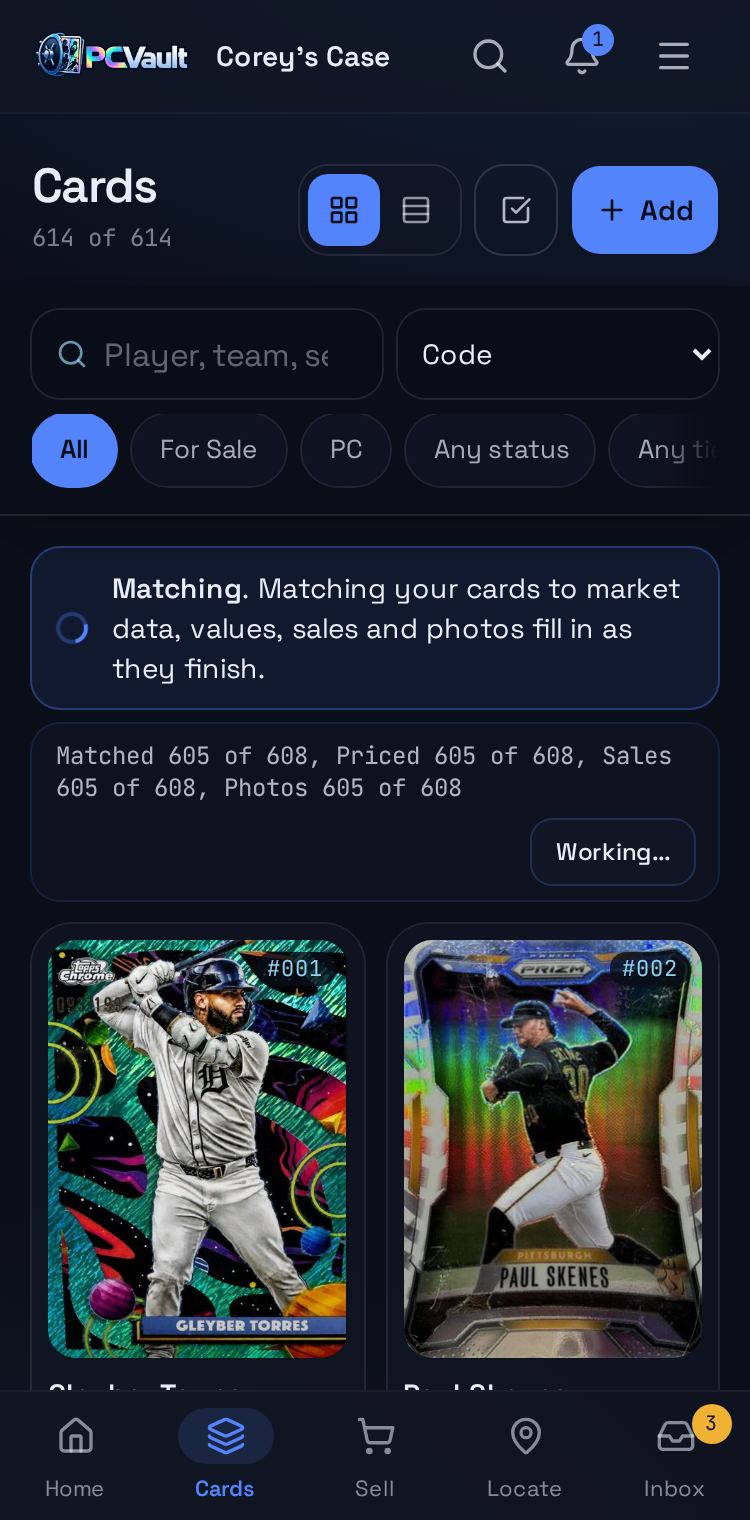
Show prep in 4 steps
- 01Import or add cards
- 02Filter to tonight's lineup
- 03Export to Whatnot
- 04Go live
How it works
One inventory for every platform
- Select or filter the cards for tonight
- Export a CSV for Whatnot, eBay or TikTok Shop
- Categories, conditions and photos filled in for you
Price on the fly
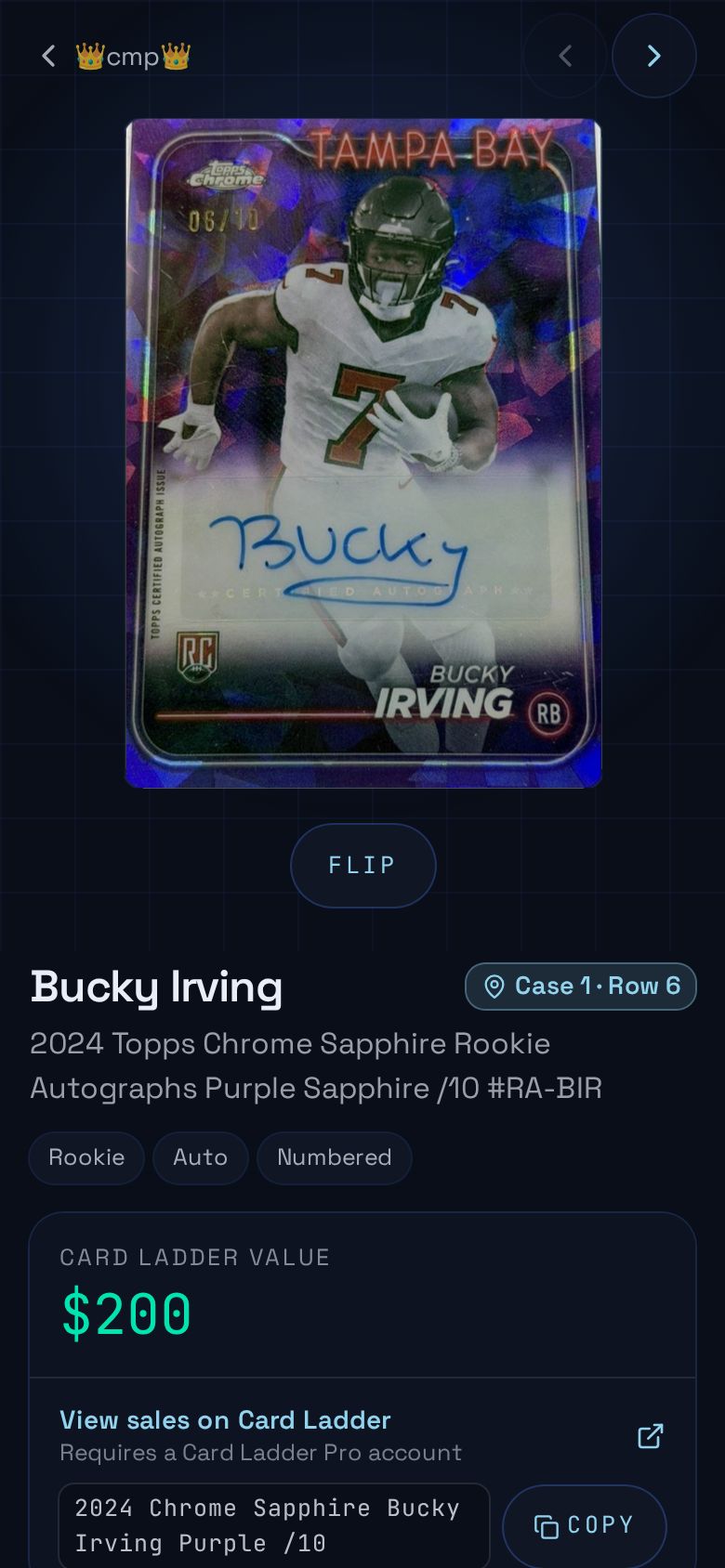
- Market value from real recent sales on every card
- Recent sales one tap away mid stream
- Start bids flat, at your value or a percent of market
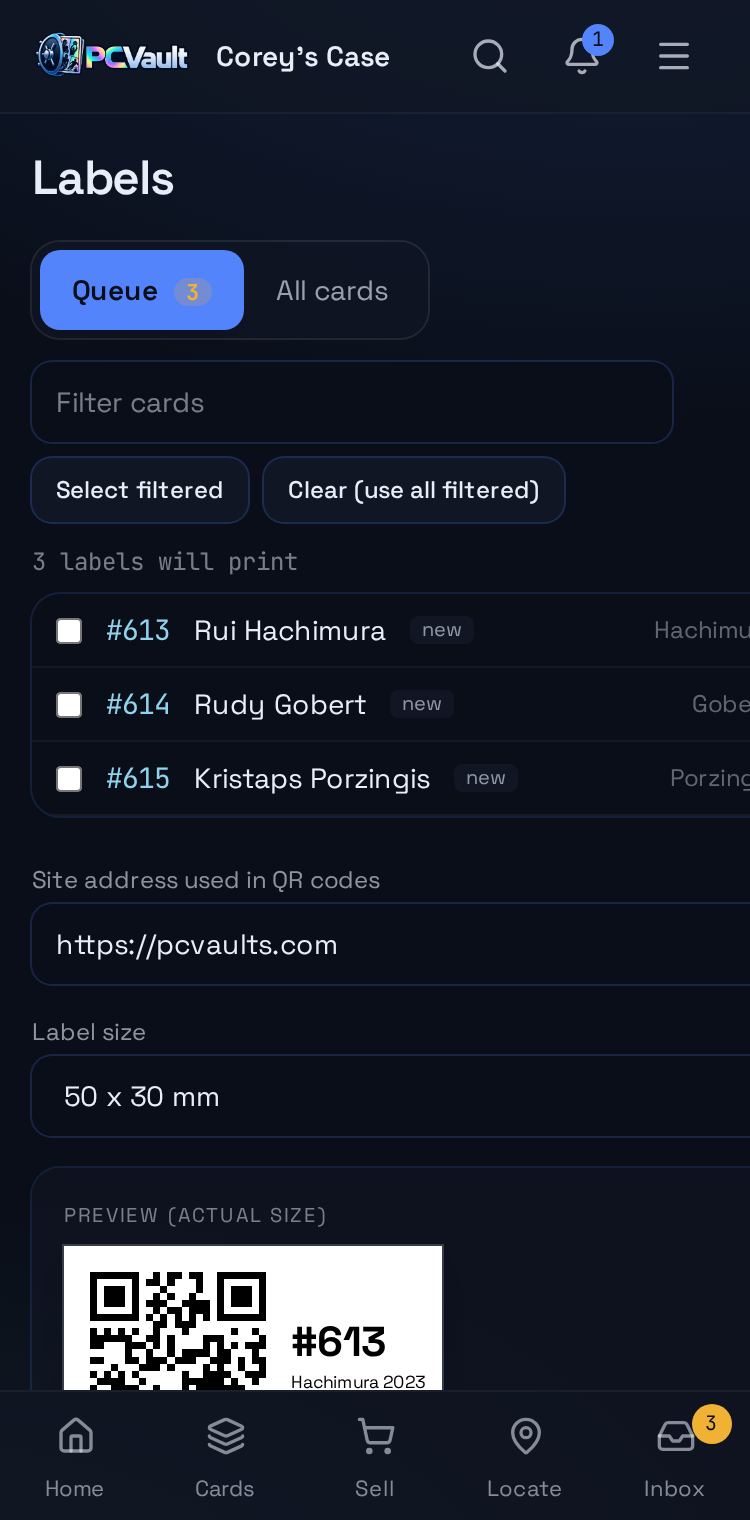
Ship fast after the show
- Mark cards sold and your vault updates everywhere
- QR labels for every card
- Locate finds any card by case and row
What you get
Export to marketplaces
Whatnot, eBay and TikTok Shop CSVs with the right categories and conditions.
Live market values
Every card shows a value from real recent sales.
Vault link for your overlay
Put your page link and QR on stream so viewers browse while you talk.
Make video
Vertical promo videos for TikTok and Reels from your cards.
Labels and QR codes
Print labels for fast post show shipping.
Locate
Find any card by case and row, and help viewers find your table at shows.
Live demo
Your inventory
Filter to tonight's lineup, select and export.
The real admin screens with @founder's For Sale cards. Demo, nothing is saved.
Questions
Does the CSV import straight into Whatnot?
Yes. The Whatnot export uses Whatnot's own column headers and allowed values. Upload it from a desktop browser in Seller Hub, either into your Inventory or into a scheduled show.
Will my images work?
Yes. Every image in the export is a public link that loads without signing in, so the marketplace can fetch your front, back and gallery photos.
Can I export only some cards?
Yes. Select the cards you want and tap Export, or filter your Cards list, for example to For Sale, and use Export all to export everything shown.
Does it work for TCG?
Yes. Pokémon, Magic and other trading card games export with the right marketplace categories and condition values.
Keep exploring
Start free with 15 active cards
Upgrade when you need more cards, selling tools or staff logins.
Create your account