
Trades
Trade sports cards online with values on both sides
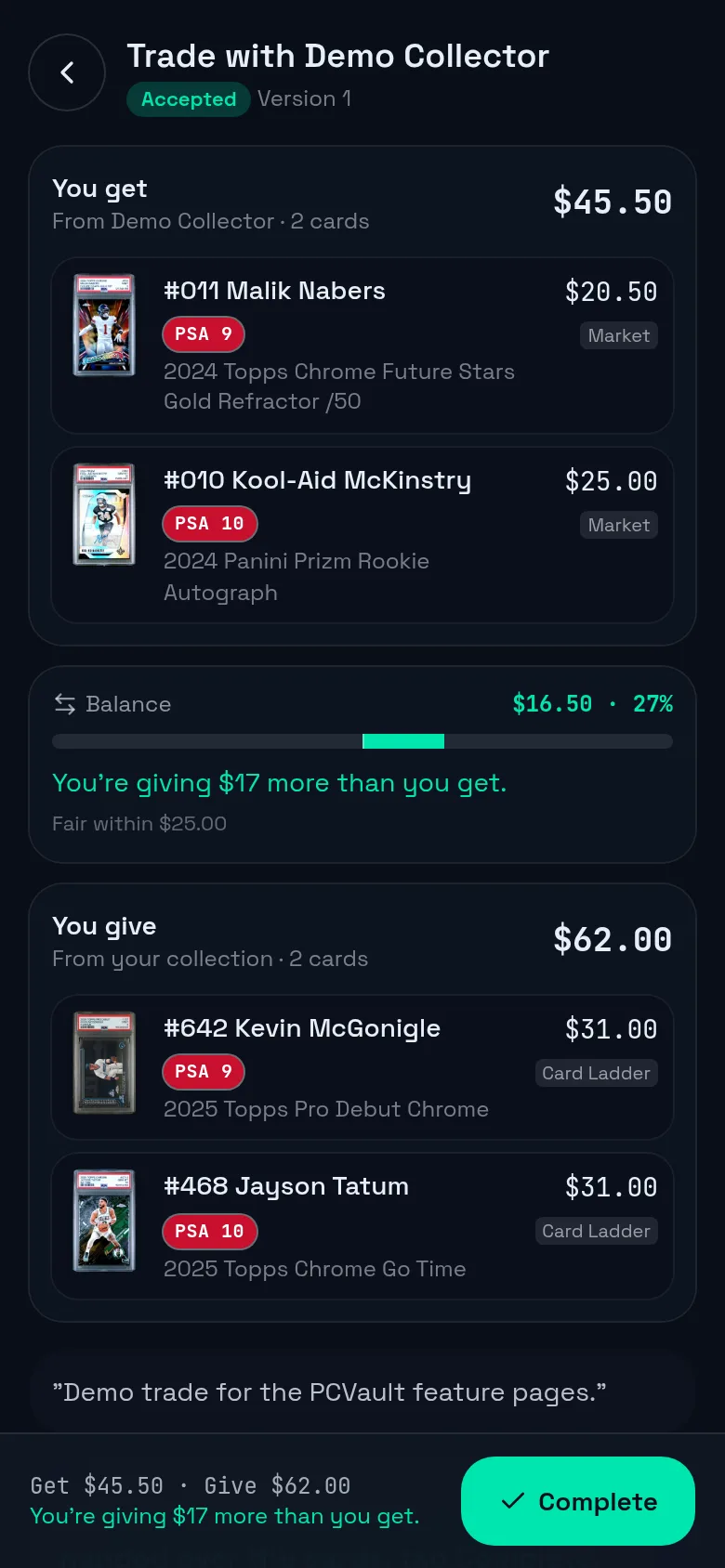
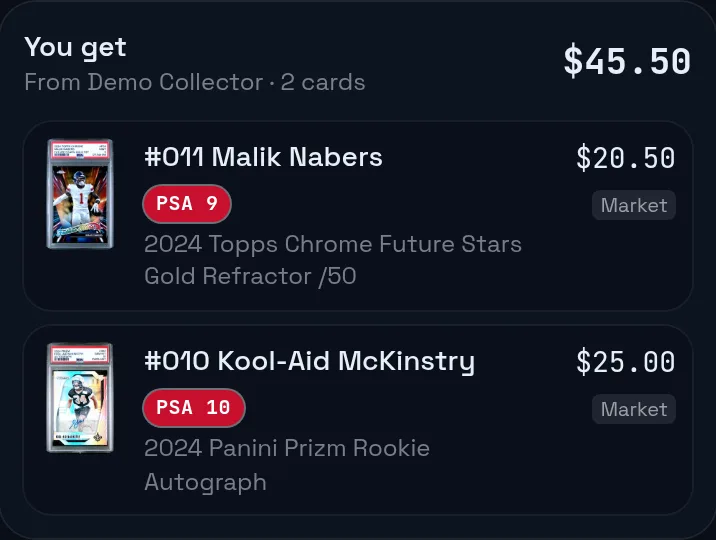
A PCVault trade lets you pick cards from your vault and another user's vault, add cash if needed, and send it. Both sides see each card's value, grade and value source, plus a balance line. You can counter, accept or decline. When both confirm, the cards move between the two vaults.
Fair trades, with what you paid kept to yourself.
Last reviewed
How it works
Build the trade
- Pick cards you give and cards you want
- Add cash on either side
- Send it, or save a draft
See the balance
- Value and source on every card
- Grade badges on every row
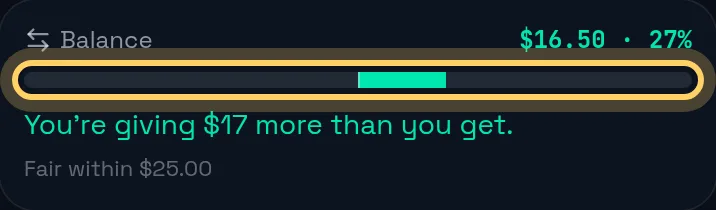
- A balance line for both sides
Accept and complete
- Counter, accept or decline
- Both sides mark it done
- Cards move between vaults
What you get
Counter offers
Each counter is saved as a new version you can look back on.
Values both sides
Market, Card Ladder or owner value on every card.
Grade badges
The same grader colors as card pages. Raw cards show none.
Private cost
Only you see what you paid. It is never sent to the other side.
Fair range
Even within 10 percent or $25 by default, adjustable.
Emails
Each side is emailed when a trade is sent, countered, accepted or declined.
Before and after
Before
- Comparing values in two browser tabs
- Saying what you paid to justify a price
- Updating two lists by hand after
With PCVault
- Values on one screen
- Your cost stays private
- Both vaults update when it completes
Questions
How do I propose a trade?
Open the other collector's page and start a trade, then pick the cards you give and the cards you want, with optional cash. You need to be signed in. Proposing trades is on the Vendor plan and up, receiving them is on the Collector plan and up, and the other person must be open to trades.
How does the trade value balance work?
Each card shows its value and where it comes from, such as Market, Card Ladder or Owner. PCVault adds up both sides with cash and shows whether the trade is balanced. By default it counts as even within 10 percent of the larger side or $25, and you can change that in your settings.
Will the other trader see what I paid?
No. Next to cards you are giving, you see a You paid line with the difference to today's value, marked only you see this. That cost is never sent to the other side, and trade values never use your cost floor.
What happens after a trade is accepted?
Both sides mark the trade done. Once both confirm, or 24 hours after one side confirms, the cards move into each other's vaults with new codes, the trade value is saved as the new cost and the case and row are cleared. Next steps link to printing labels, setting case and row and Card Ladder updates.
Can a Card Ladder user trade with a market value user?
Yes. Each card keeps its owner's value setting, so a Card Ladder card shows its Card Ladder value and a market card shows its market value in the same trade. An owner value set on a card always comes first.
Keep exploring
Start free with 15 active cards
Upgrade when you need more cards, selling tools or staff logins.
Create your account